
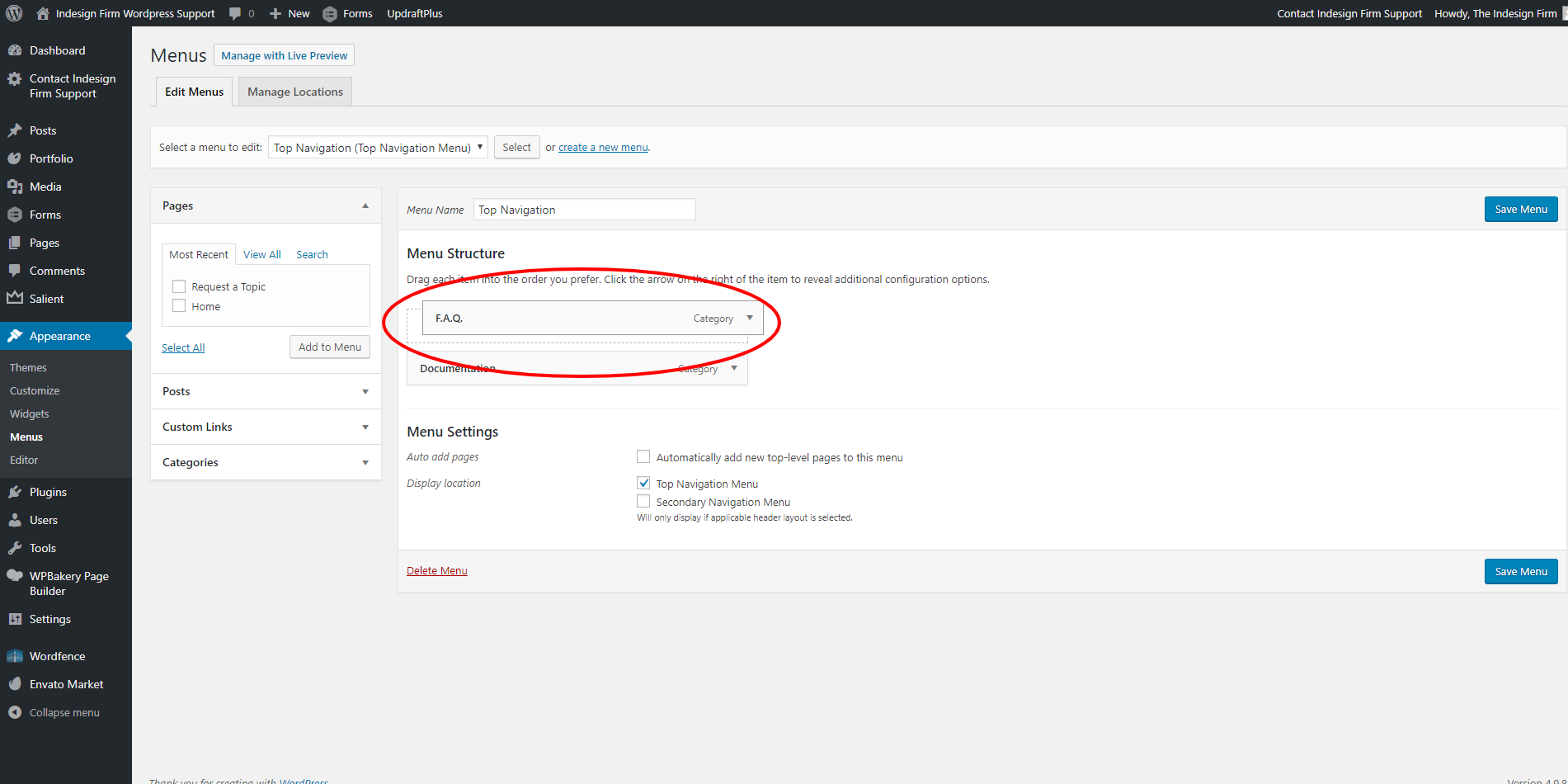
To rearrange your menu items, simply hover over the menu item you wish to move. Click and drag the menu item where you wish to place it. Click the blue “Save Menu” button once you are finished with your changes.
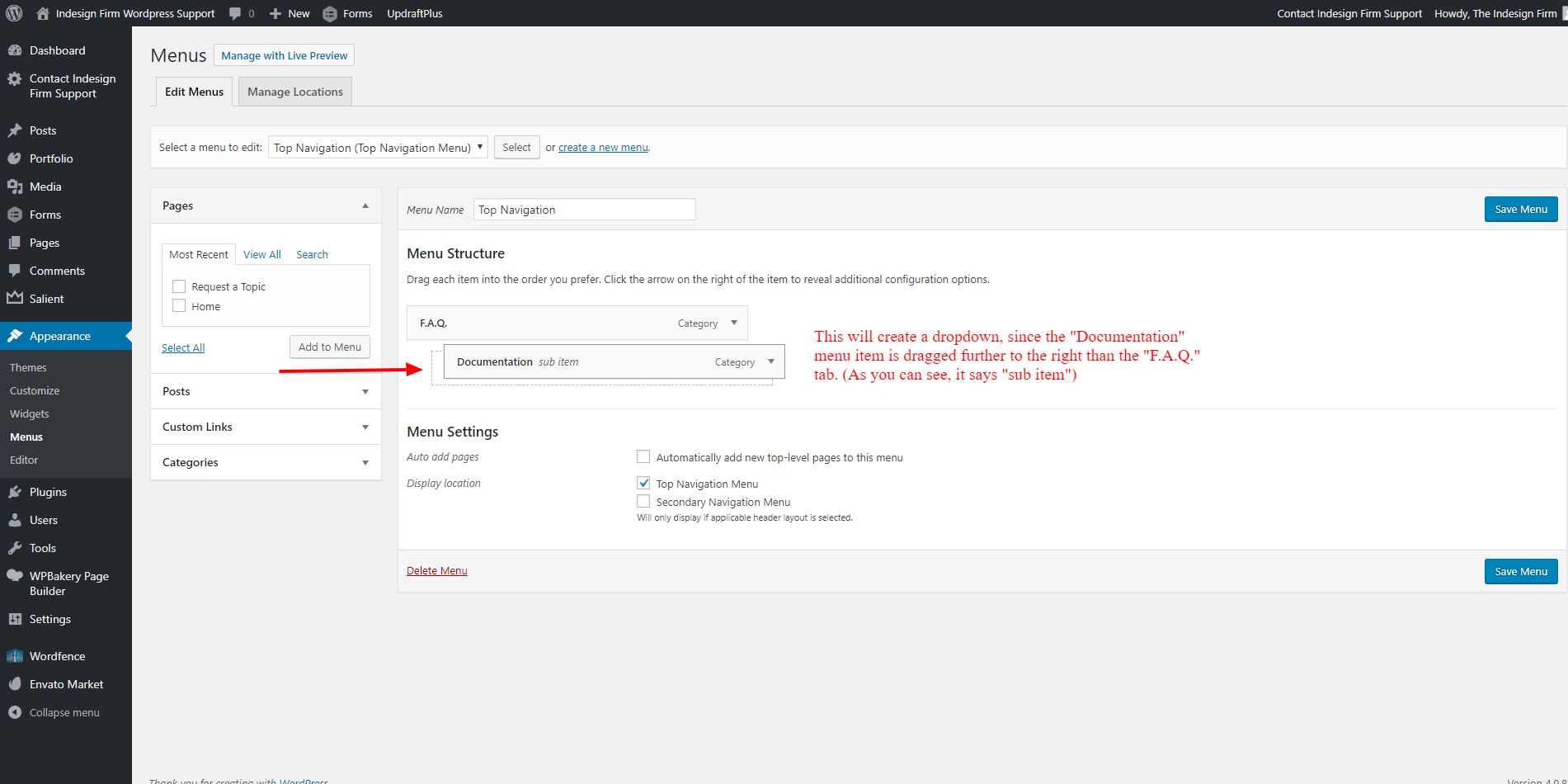
TIP: You can create a dropdown item simply by dragging the menu item to the right.